Menu
Tell me when it lists
You read pages that contain these macros. You did not configure any of them, and you should not have to.

Readers, stakeholders and auditors

A published macro is a table on a page. It needs no training and no licence beyond the Confluence one you already have. What it does need is to be unambiguous — which is why a letter is written inside every coloured label, an overdue action is marked “Overdue” in words as well as in red, and an em dash means “not involved” rather than “nobody filled this in”.

By the end of the guide you can

  • Read a RACI matrix and know who to go to, and for what
  • Read a service review and tell a missed target from an unreported one
  • Read an SLA and know which clock each target runs to
  • Take the page, its history and its PDF as evidence in an audit
Read the reader’s guide

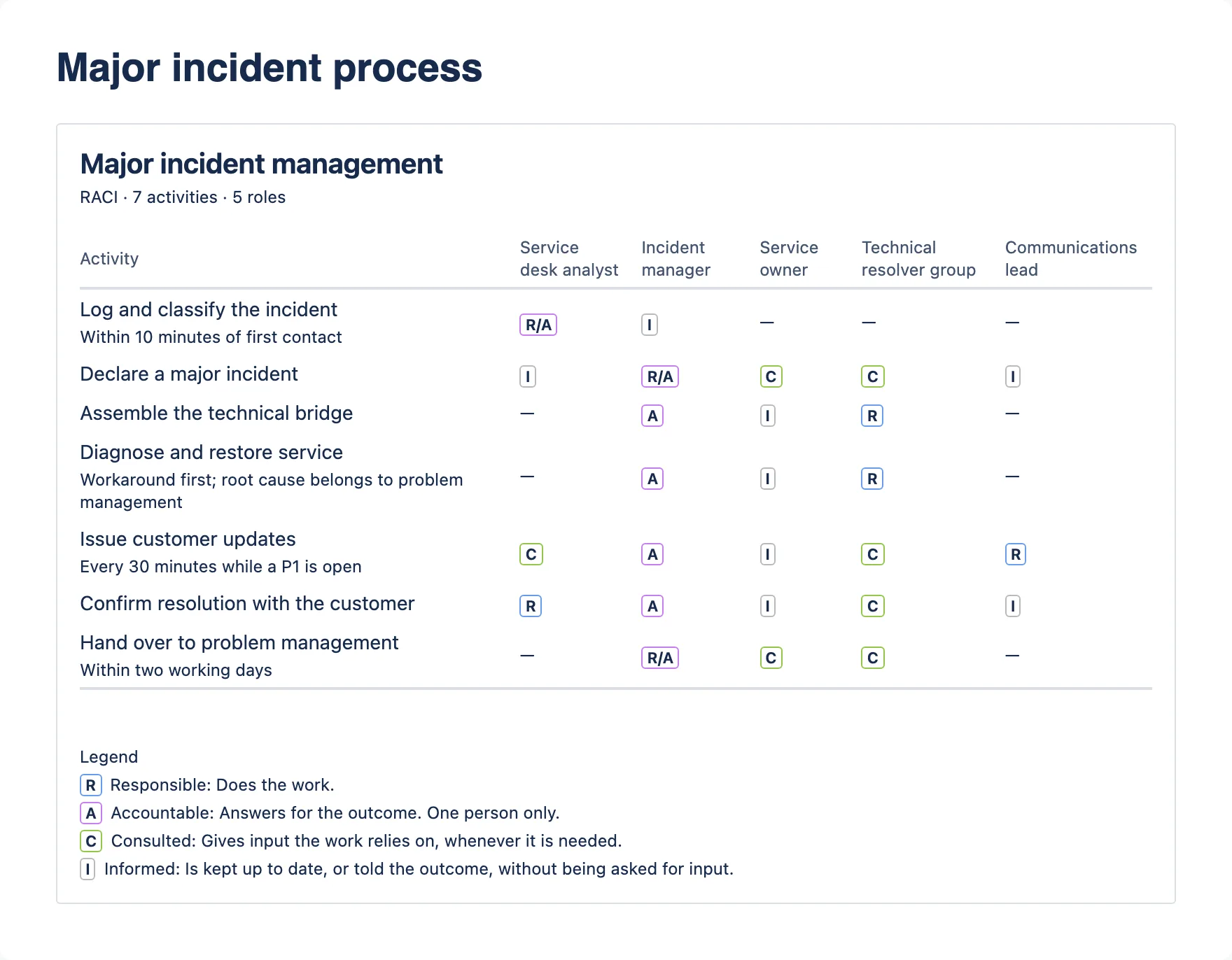
A RACI matrix for major incident management: seven activities down, five roles across, coloured letter labels in the cells.
A published RACI matrix. Every cell carries its letter as text, so the colour is never the only thing saying what it means.
Describe this screenshot A RACI matrix titled “Major incident management”, subtitle “RACI · 7 activities · 5 roles”. Activities run down the left, some with a short note in smaller text; five role columns run across. Cells hold coloured letter labels such as R/A, A, R, C and I, or a dash. A legend underneath explains R, A, C and I.
You own a process or an ITIL 4 practice, and you have to show who does what.

Process and practice owners

The RACI Matrix macro is built for the way the work actually happens: a workshop, a half-filled grid, and a second session a fortnight later. Start from a template for any of 34 practices — roles, activities and letters to argue over — or from a blank grid. It never refuses to save. It does tell you, in the dialog, that “Authorise the change” has two accountable roles — and gives you a button that takes you straight to that row.

By the end of the guide you can

  • Start from a practice template instead of a blank grid, then adapt it in the room
  • Build a matrix during a workshop without fighting the tool
  • Switch between RACI and RASCI with one control
  • See every accountability gap in one banner, and jump to each one
  • Publish it where the process is already documented

Read the process owner’s guide

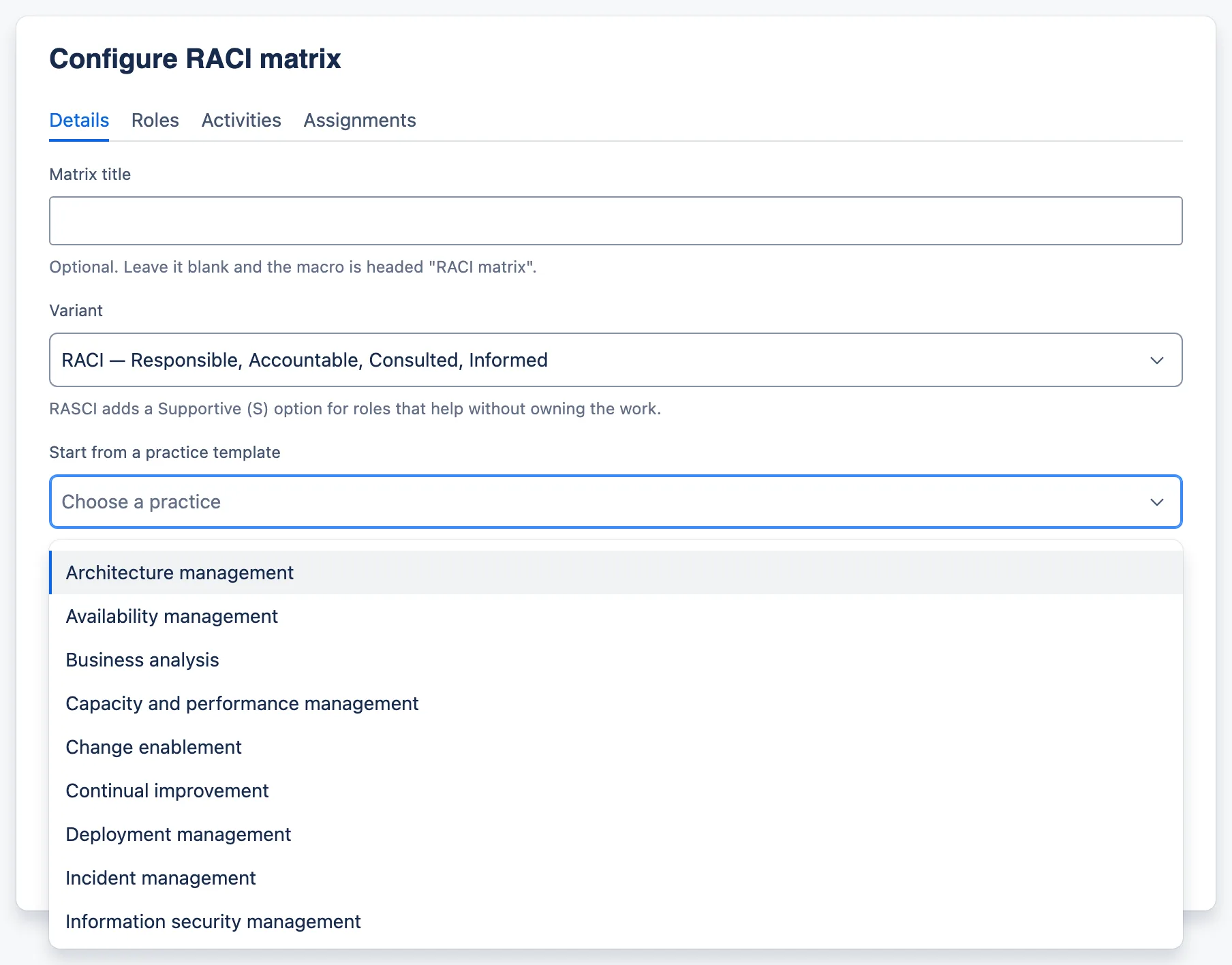
A new RACI matrix with the practice template picker open on its alphabetical list.
Thirty-four practices, alphabetical and searchable. One choice fills in the roles, the activities and their letters — then the matrix is yours to edit.
Describe this screenshot The Details tab of a new RACI matrix with the “Start from a practice template” picker open. Its alphabetical list begins Architecture management, Availability management, Business analysis, Capacity and performance management, Change enablement, Continual improvement, Deployment management, Incident management, Information security management, and scrolls for the rest.
You chair the monthly or quarterly review, and you write it up afterwards.

Service and service delivery managers

The Service Review Record gives every review the same shape, so the fourth one is comparable with the first. You can type it live in the meeting: nothing is required, and the record saves half-finished. Overdue actions are judged against each reader’s own local date, so an action due today is not overdue in London and overdue in Sydney.

By the end of the guide you can

  • Run the review from the record instead of from a slide deck
  • Keep KPIs, risks and actions in one artefact with one owner each
  • Show the page, its history and its export as evidence for ITIL 4 continual improvement and ISO/IEC 20000 service reporting
  • Find last quarter’s record where you would expect it — on the service’s own page

Read the service manager’s guide

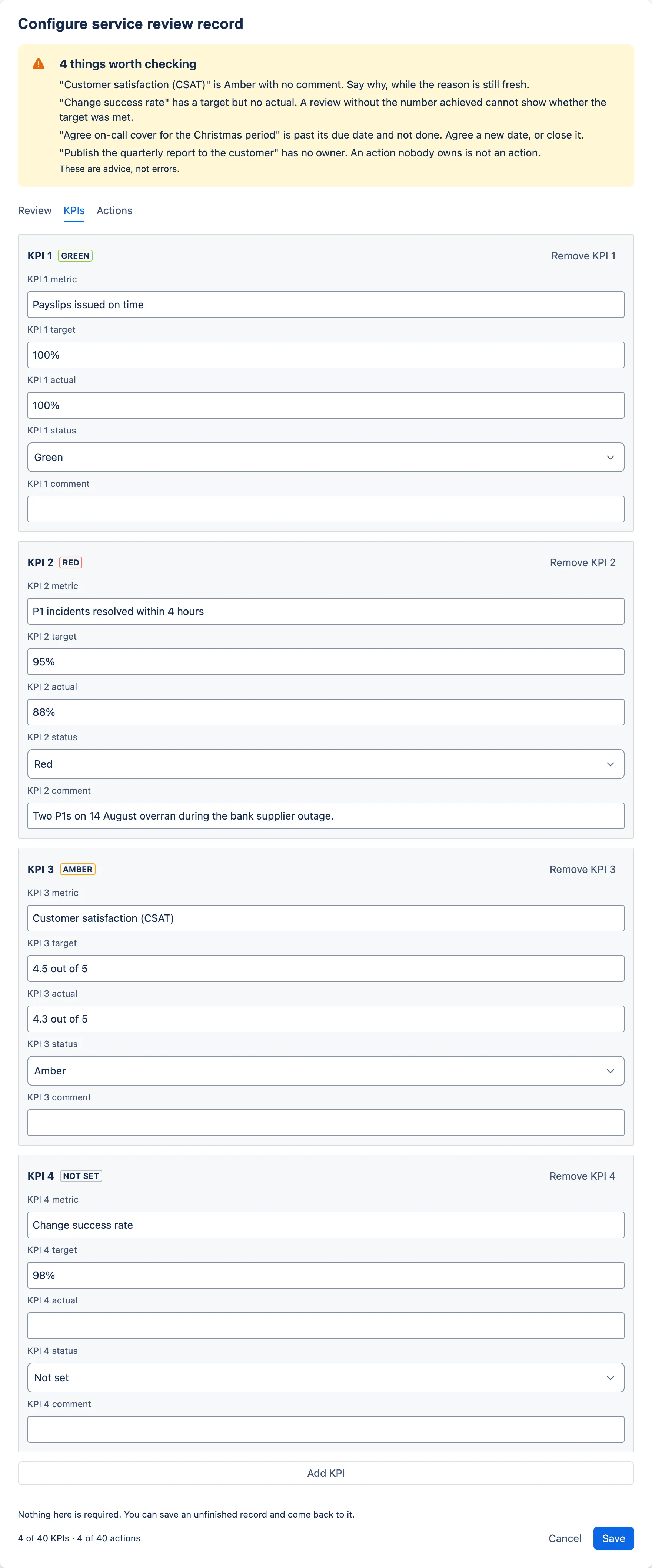
The KPIs tab, showing four KPI boxes each with a status label beside its heading.
Each KPI row carries its own heading and its own RAG label, so no two controls in the dialog share a name.
Describe this screenshot The KPIs tab showing four KPI boxes: Payslips issued on time, target and actual 100%, Green; P1 incidents resolved within 4 hours, target 95%, actual 88%, Red, with a comment; Customer satisfaction (CSAT), target 4.5 out of 5, actual 4.3 out of 5, Amber, no comment; Change success rate, target 98%, no actual, Not set. Each box header shows the KPI number, a status label and a Remove button.
You agree service levels, and then you have to defend them.

Service level managers

Service Level Targets separates the things that get conflated and then argued about: which kind of agreement this is, when the service runs, when support is actually staffed, and which clock each target runs to. A P1–P4 ladder is one button away, and every cell of it is editable, because not every organisation uses P1–P4.

By the end of the guide you can

  • State SLA, OLA or underpinning contract explicitly
  • Keep service hours and support hours as separate, visible facts
  • Record the availability target, the measurement period and the exclusions in the same place
  • Publish a compact version for a page that only needs the headline numbers

Read the service level manager’s guide

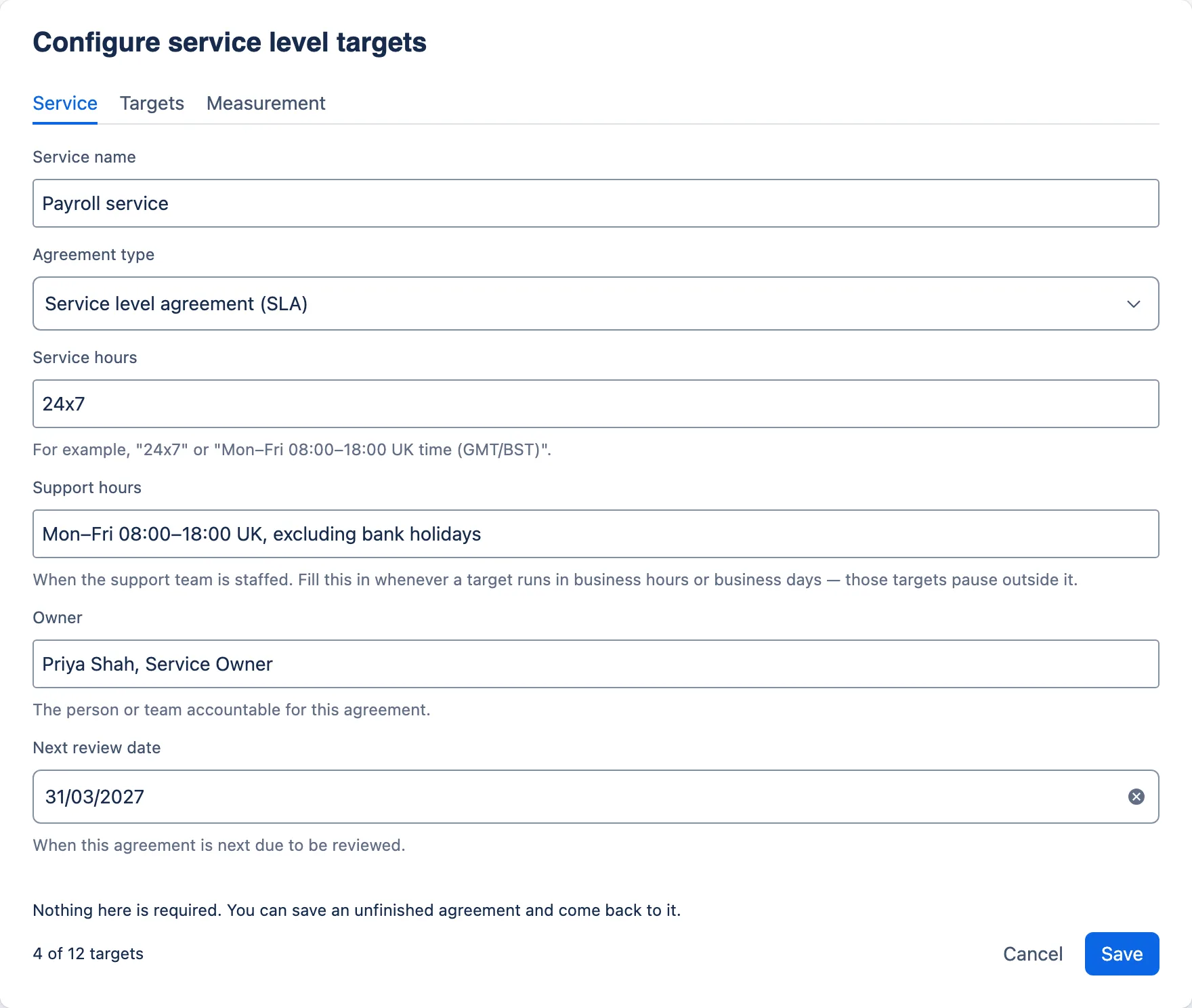
Service tab, filled in for the Payroll service.
Naming the agreement type — SLA, OLA or underpinning contract — settles a surprising number of arguments before they start.
Describe this screenshot The Service tab of the Configure service level targets dialog, filled in for the Payroll service: agreement type Service level agreement (SLA), service hours 24x7, support hours Mon–Fri 08:00–18:00 UK excluding bank holidays, owner Priya Shah, Service Owner, next review date 31/03/2027. The footer reads 4 of 12 targets.
You decide what gets installed, and you answer for it afterwards.

Confluence site administrators

The app requests no OAuth scopes, declares no remotes and calls no external service. There is no separate app permission to manage: anyone who can edit a page can insert and configure these macros on it, and any licensed user who can view the page can see them. Uninstalling leaves nothing behind, because there is nothing stored outside the pages themselves.

By the end of the guide you can

  • Answer a security review from the manifest rather than from a vendor questionnaire
  • Rely on existing page restrictions — there is no second permission model to reconcile
  • Know exactly what an uninstall removes, and what it does not
  • Recognise the one error state a user can report, and what it means

Read the Confluence administrator’s guide

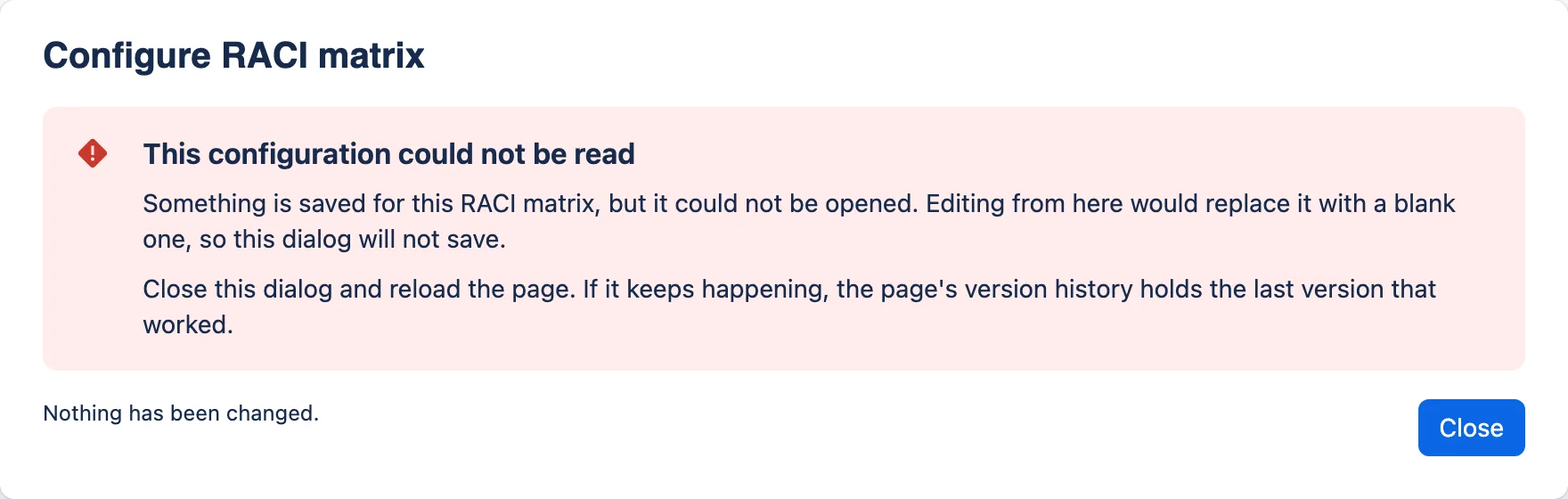
The configuration dialog showing a red error, “This configuration could not be read”, with only a Close button.
If a stored document cannot be read, the dialog offers no Save at all. Opening a blank form with a live Save is how configuration gets destroyed.
Describe this screenshot The Configure RACI matrix dialog showing a red error message titled “This configuration could not be read”, explaining that something is saved but could not be opened and that the dialog will not save, with “Nothing has been changed.” and a single Close button beneath.
Whoever you are

Three things true everywhere.

Your data lives in the page

Everything typed into a macro is stored in that macro on that page. Page history, copying, templates, restrictions and export all work the way they do for the rest of the page. The app has no database of its own and sends nothing anywhere.

Nothing is required

Every configuration dialog saves an unfinished record. A half-filled RACI from a workshop, or a review record typed during the meeting, is the normal case.

Warnings are advice

The dialogs point out gaps — an activity nobody is accountable for, a KPI with no actual, a priority with no target time — and never stop you saving.

There is no app permission to administer

Anyone who can edit a page can insert, configure and remove these macros on it. Any licensed, signed-in user who can view the page can see them. That is the whole access model: your existing page restrictions are the only control, and there is no second one to reconcile them with.

Three records, on the page the service already lives on.

One install by a site administrator, then nothing: no app permission to manage, no accounts to create, no licence to renew, and no change in cost at any number of users.

Not listed yet: it goes to the Atlassian Marketplace as a free app once it has passed review. The button opens your own mail client. You hear once, on the day it lists, and never again. What is in 2.7.0

Need this shaped to your organisation — the practices, the roles, the reporting line? That is what ITSM Ltd does for a living.